
CH 01 · Calendar & gigs
Every date.Every call time.
Gigs, rehearsals and quotes share one calendar. Book a gig in three steps and the lineup gets the date, the venue, the call times and their own fee. Then the gig’s page keeps track of what’s still to do.
- Month grid
- Lineup & fees
- Call times
- Saves offline
 CH 01 · Calendar & gigs
How it works
From a free day
to a full lineup.
01
See the month
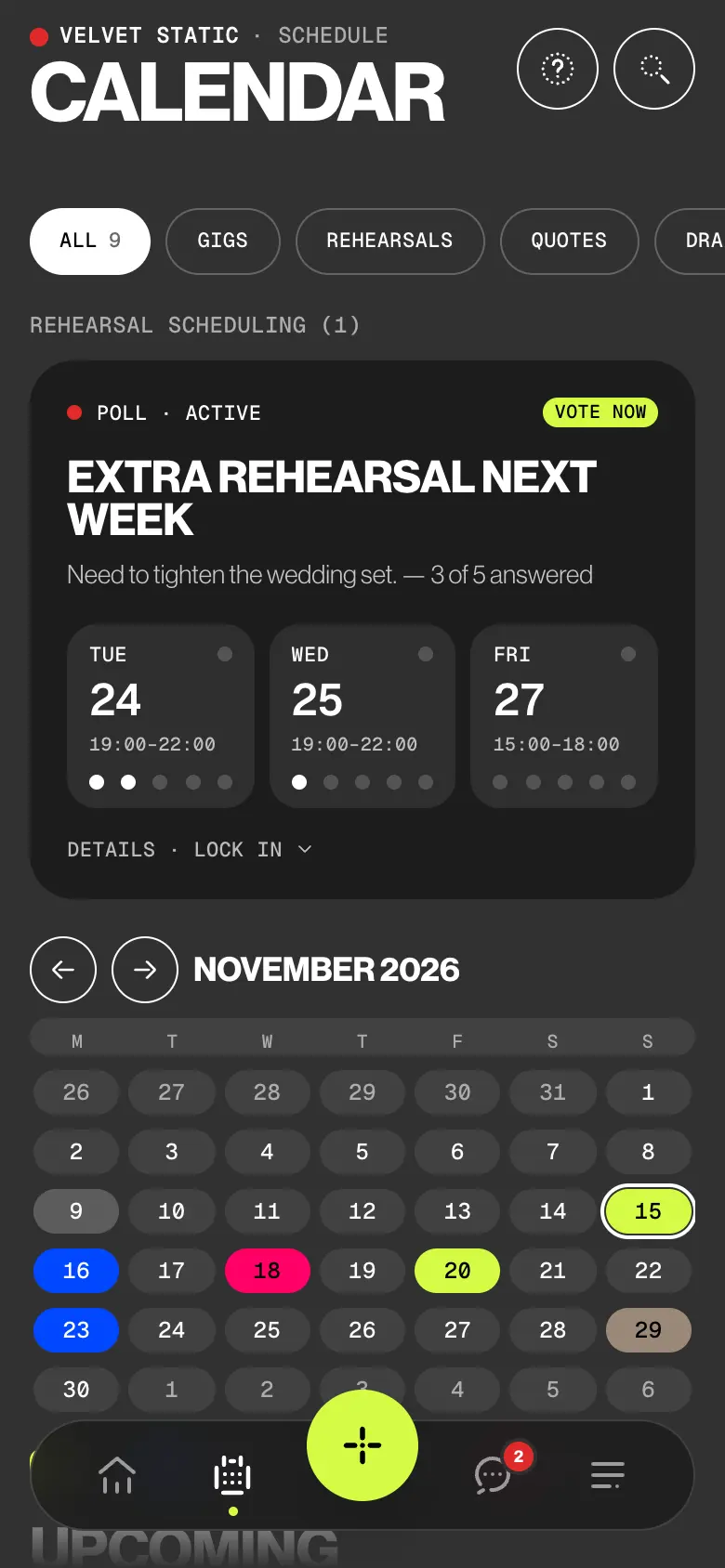
Gigs, rehearsals, quotes and personal dates share one grid, each day in its event’s colour. Filter by type with ALL, GIGS, REHEARSALS, QUOTES and DRAFTS, or by band if you play in more than one. Tap a free day to start a gig on it.
02
Pick who plays
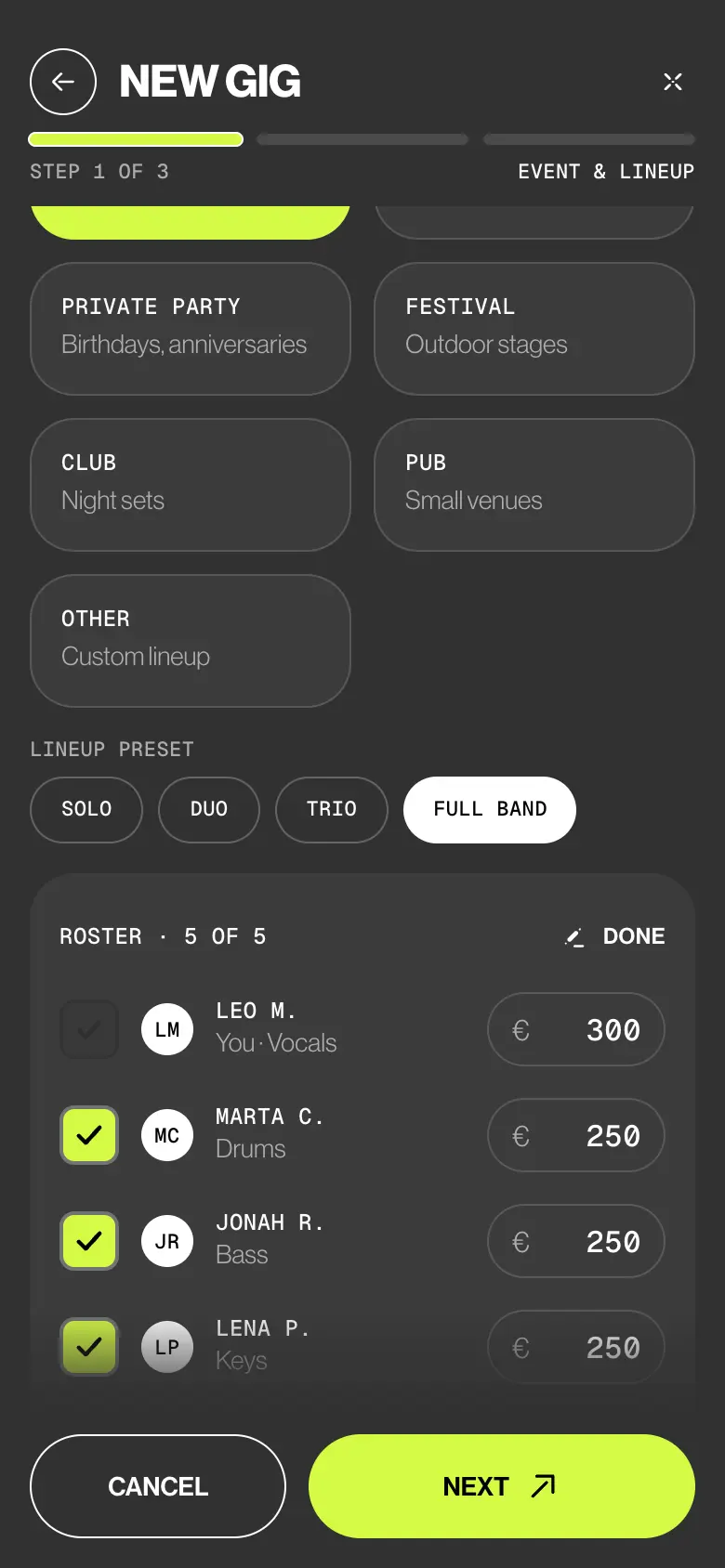
Step 1 of the wizard: the event type, then Solo, Duo, Trio or Full band. Each musician’s fee is filled in from the roster; change any of them. Money not agreed yet? Turn on Fee to be discussed (TBD).
03
Set the date and venue
Step 2: search the venue and pick the date. The picker tints each day by how many members are free. Add load-in and soundcheck, and they show on the gig as call times.
04
Create it, then run it
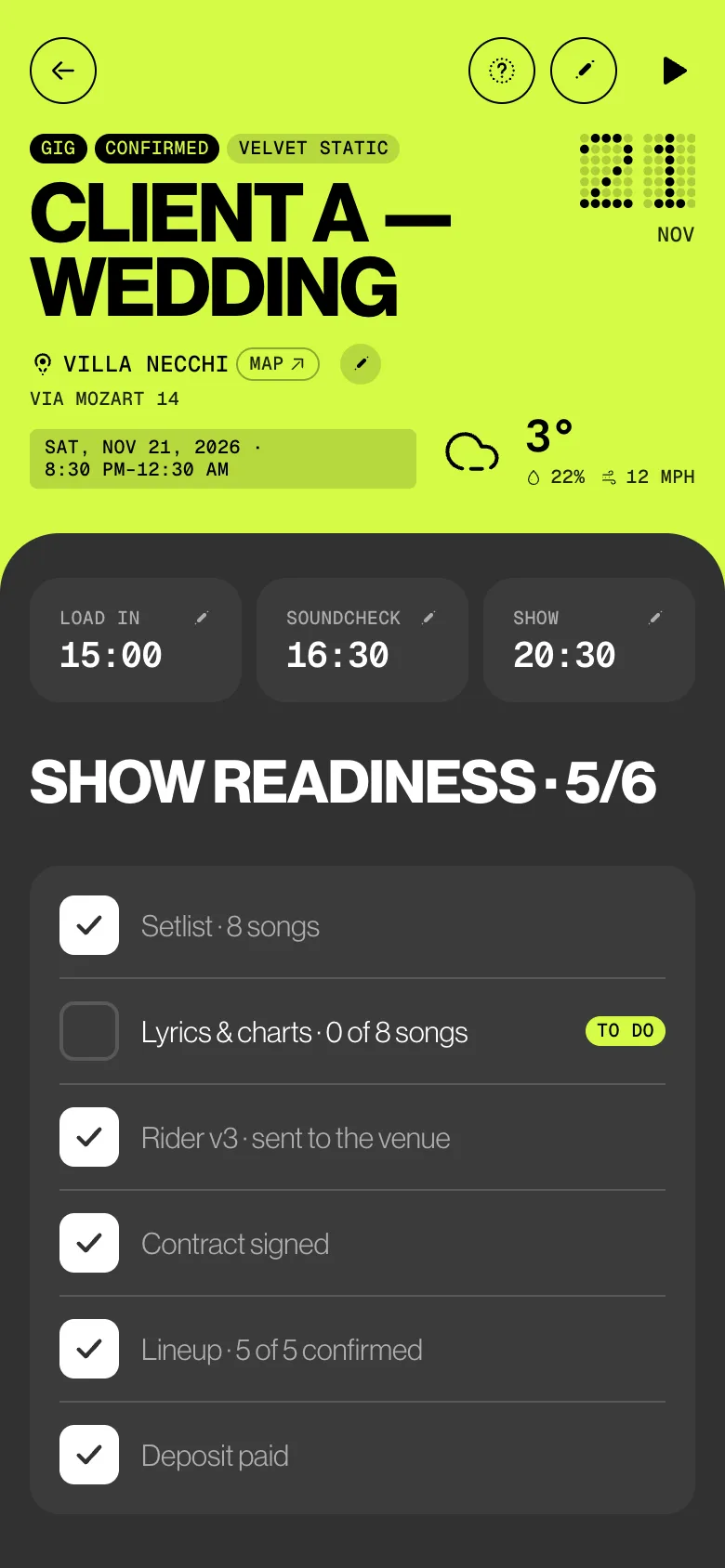
Tap Create gig. Each musician gets an invitation with their own fee only. On the gig’s page, SHOW READINESS lists what’s settled and marks the rest To do.
Try it
Three steps.
One gig.
You’re Leo. Pick the lineup, pick a day the band is free, create the gig. Then see what reaches each musician’s phone: their own fee, nobody else’s.
Their phonesNothing is sent until you tap Create gigSwipe for each phone
Who sees what
Admins book.
Everyone sees their part.
Admins create and change gigs. Members see the gigs they’re on, with their own fee. Deputies never see the band calendar: they get the request, the times and the fee offered.
| What | Admin | Member | Deputy |
|---|---|---|---|
| Sees the band calendar | Every event | Gigs they’re on | No |
| Creates, edits and deletes gigs | Yes | No | No |
| Sees quotes and gig drafts | Drafts: only their own | No | No |
| Sees date, call times and venue | Yes | Yes | Of their request |
| Sees fees | Everyone’s | Own only | Fee offered |
| Accepts or declines the gig | When invited | Yes | Yes |
| Sees show readiness | Every check | No contract or deposit | No |
The small things
Small things
that save a call.
- Who’s free, never why
When you pick a date, the picker counts the members with nothing else on that day, in any of their calendars. Counts only: a personal gig shows as busy, never its title, venue or fee.
- Shows past midnight
21:00 to 02:00 is one gig. It stays upcoming until the show really ends.
- Drafts only you see
Close the wizard and save a draft. It follows you to your other devices. Nobody is told until you create the gig.
- One notice per change
A new date, time, call time or venue sends the lineup one Gig updated. A changed fee reaches only that musician.
- Venue and forecast
Pick the venue from search and its street and city fill in. For a gig in the next seven days, the wizard shows the forecast and the sunset time.
- No signal at the venue
Create or edit a gig offline: it’s saved on the device and shows Sync until it reaches the server. While a gig is open, a change to its lineup, tasks or setlist shows up at once.
Learn it
The Guide,
step by step.
Six short articles in the BandWith Academy, in six languages.
- The calendarFilters, the month grid, the legend and the cards.
- Create a gigThe three-step wizard, from lineup to Create gig.
- Who’s freeAvailability counts and schedule conflicts.
- The gig workspaceEverything on a gig’s page, top to bottom.
- Show readinessWhat’s settled for a gig, and what’s still to do.
- Who is told whatThe notifications a gig sends, and to whom.