
CH 09 · Members, deputies & gear
Who plays.Who covers.
Invite the band, set each person’s role and default fee, and keep a list of deputies for the nights someone can’t make it. Then track the gear, and who has it.
- Invite by link or code
- Ask in the app
- WhatsApp, SMS, Email
- Gear & kits
 CH 09 · Members, deputies & gear
How it works
From the invite
to the van.
01
Invite the band
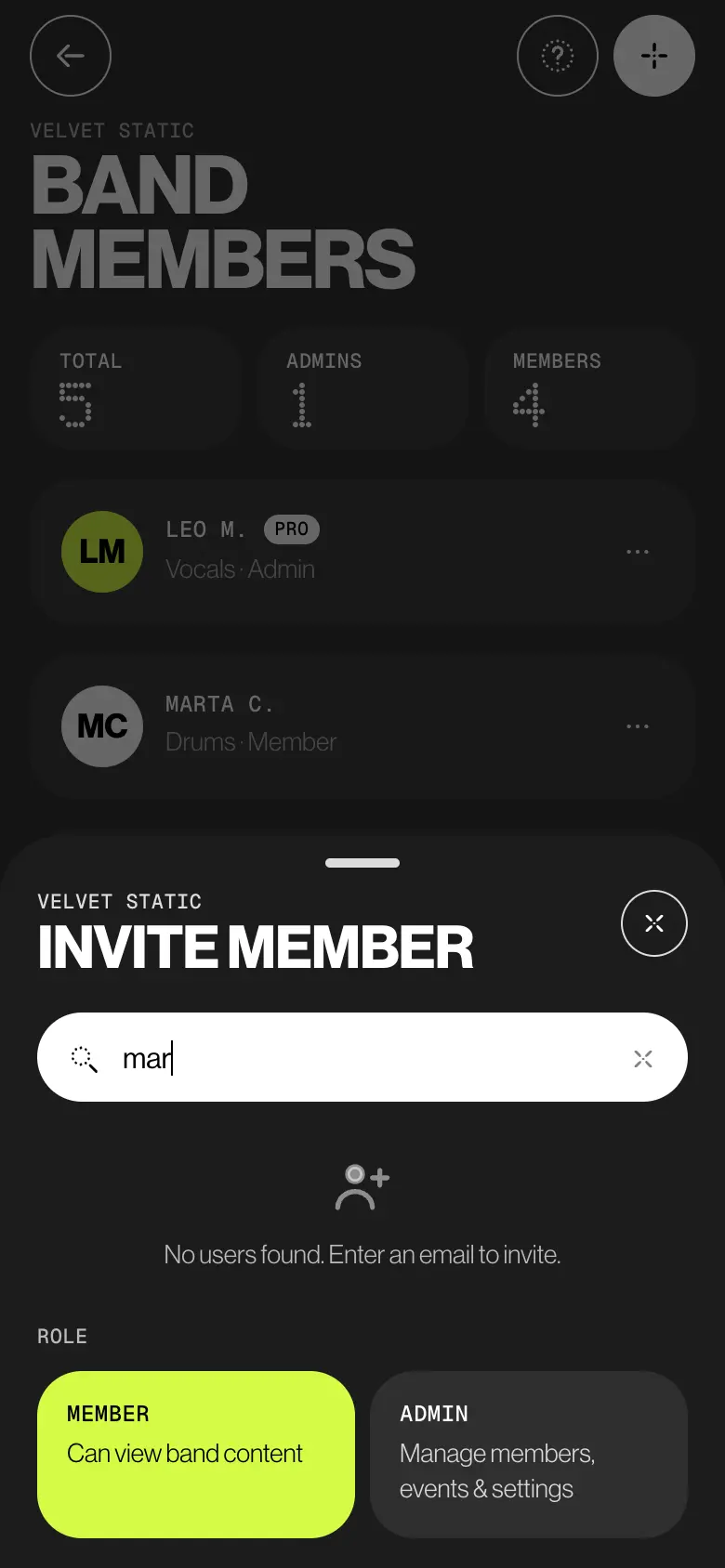
On Band members, tap Invite member and type a name or an email. People on BandWith show up under Found in BandWith; anyone else gets an email, a link and a code. Pick Member or Admin. Nobody joins without saying yes.
02
Someone can’t play
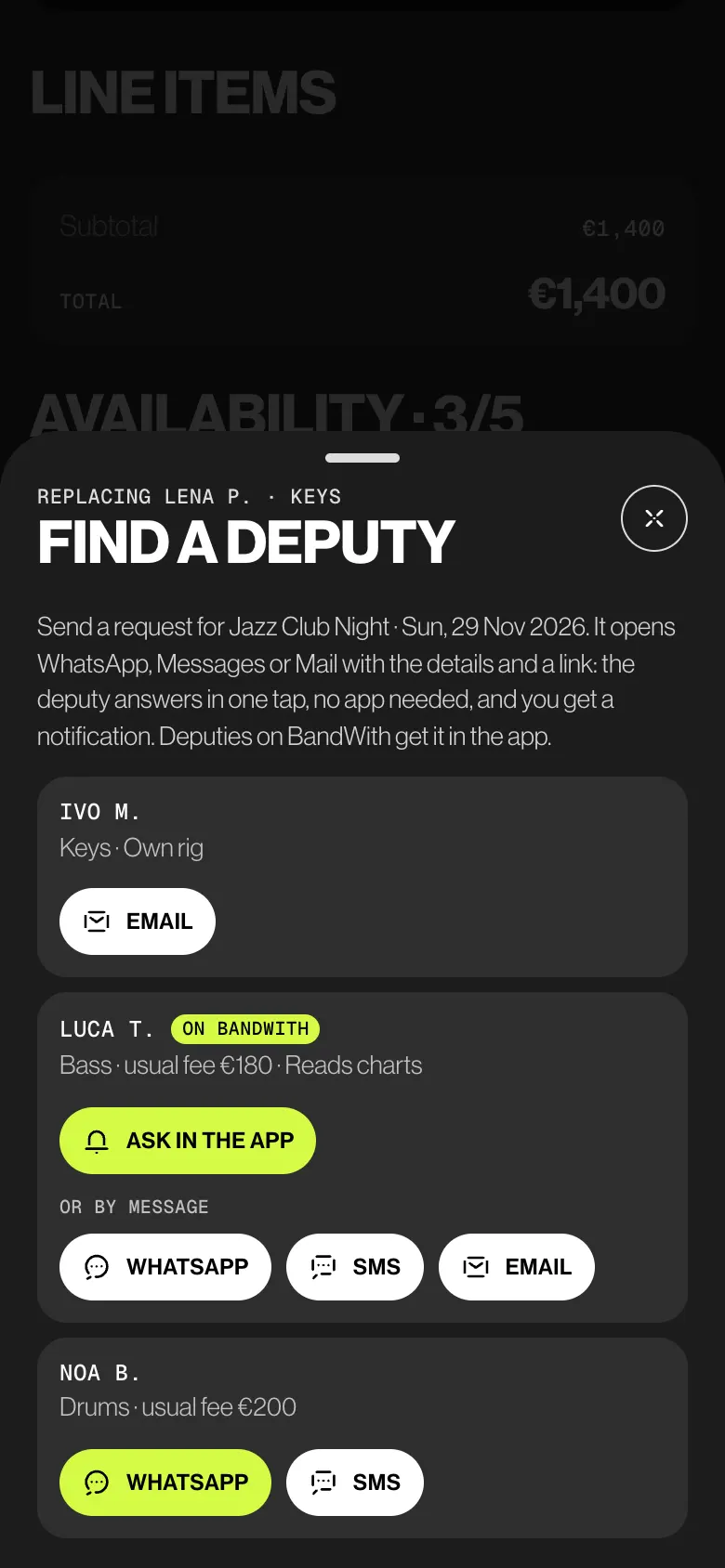
When a member declines a gig, open the lineup and tap Find a deputy. Deputies on the same instrument come first. Tap Ask in the app, or send WhatsApp, SMS or Email with the details and a reply link.
03
The deputy answers
In one tap, on a web page with no account, or in Deputy gigs if they’re on BandWith: Yes, Not sure yet or No, I can’t. You get a notification. The street address reaches them only after a yes.
04
Pack the gear
Add the band’s gear, or your own with Add my gear. Each item has a status, Available, In use, Maintenance or Lost, and a line for who has it. Bundle items into kits, then pick a kit on the gig.
Try it
Lena can’t.
Ivo can.
Lena P. declined the wedding. Find a deputy, ask Ivo M. in the app, then answer on his phone. Watch the answer reach Leo, and the address reach Ivo.
AdminLeo M. · Bass · Velvet Static
Only admins see the deputies and their requests
DeputyIvo M. · Keys · On BandWith
Street address · hidden until he says yes
Who sees what
Admins manage.
Everyone plays.
Admins run the band list, the deputies and the kits. Members see the whole band and add their own gear. Deputies see only the requests sent to them.
| What | Admin | Member | Deputy |
|---|---|---|---|
| Sees everyone in the band, with email and phone | Yes | Yes | No |
| Invites, removes, makes admin | Yes | No | No |
| Default fee in this band | Sets everyone’s | Sees their own | No |
| The deputies list and requests | Yes | No | Their own requests |
| Sees the gear, its status and the kits | Yes | Yes | No |
| Adds and changes gear | Any item | Only their own | No |
| Creates kits, picks one for a gig | Yes | No | No |
The small things
Made for
last-minute calls.
- Invites that wait, then expire
An invite is valid for 7 days. With 2 days left, the invited address gets one reminder. Invite the same address again to renew it. The person signs in with that address to join.
- A default fee per person
Set it on their page under In the band. New gigs and quotes fill it in; you can still change it on each gig.
- Who covers what
The deputies list groups the band by instrument and tells you which ones still have no deputy.
- The gig changed?
Move the date, times or venue after a deputy answered and the request is flagged. Send update shows them what changed and asks Still OK.
- A calendar that keeps up
After a yes, a deputy can tap Subscribe to my gigs. Their calendar follows every change and marks cancelled gigs.
- The link is the key
Anyone with a reply link can answer. If it reached the wrong person, Unlink account replaces every link sent to that deputy: old reply pages and calendar feeds stop working.
Learn it
The Guide,
step by step.
Six short articles in the BandWith Academy, in six languages.
- Invite someoneBy name, email, link or code, as member or admin.
- Admin and memberWhat each role can do, and the one-admin rule.
- DeputiesThe band’s stand-ins, and what they can see.
- Ask a deputyFrom the gig’s lineup, in the app or by message.
- The reply pageHow a deputy answers without an account.
- Gear & inventoryItems, status, owners and kits.