
CH 06 · Songs & setlists
The band’s songs.Ready to play.
Keys, tempos, lyrics with chords, charts from iReal Pro and the band’s recordings, in one library every member can read. Admins build the setlists. Each player reads the song their way, in the key they need.
- Lyrics & chords
- Transpose for you
- Setlists & sets
- iReal Pro import
 CH 06 · Songs & setlists
How it works
From the library
to the stage.
01
Fill the library
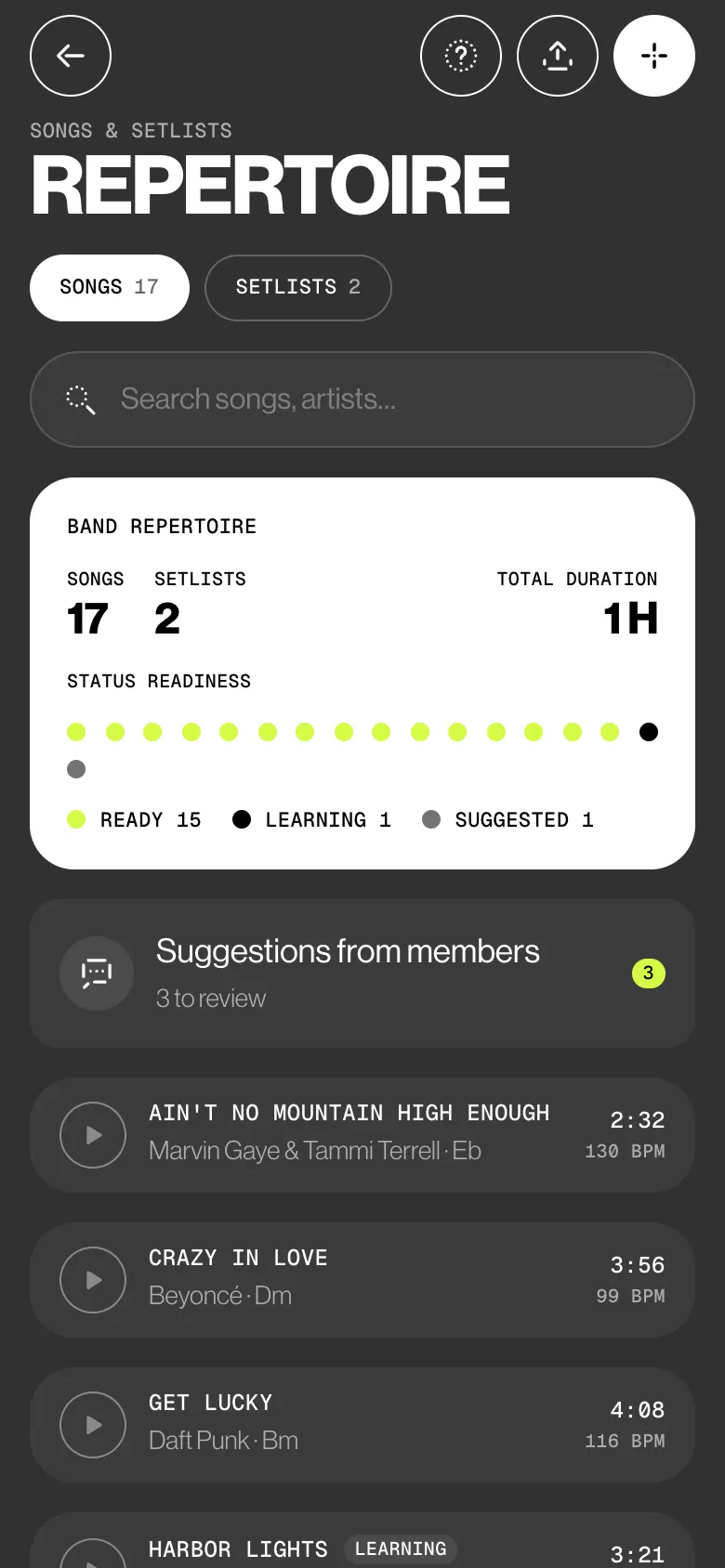
Add a song with just its title, then key, BPM, duration and genre if you want. Or import a CSV or text list of up to 2000 songs. Songs an admin adds start as Ready.
02
Members suggest
A member suggests a new song, or a fix to the lyrics or chords. The admin sees Changes, Before and After, then taps Accept, Accept with changes or Reject. The band’s song stays the same until then.
03
Build the set
Tap Add songs from library…, filter by genre, tap songs in, drag them into order and tap Save setlist. Load it into a gig and the gig gets its own copy.
04
Read it your way
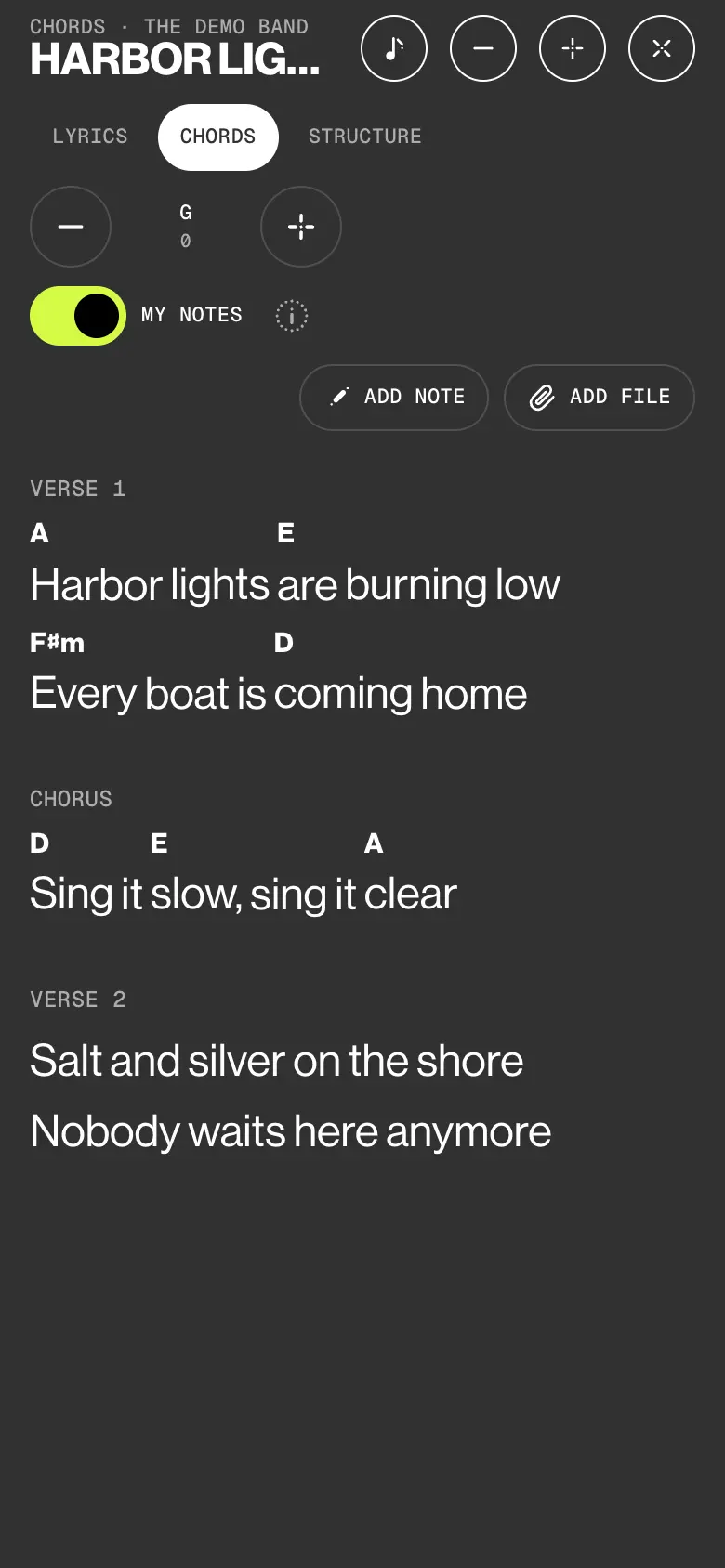
Lyrics for the singer, Chords for guitar, keys and bass, Structure for drums and horns. Move the key with − and +: only your screen changes.
Try it
Your key.
Same song.
A made-up song in the band’s format. Switch between Lyrics, Chords and Structure, move the key up or down, and tap the key to go back. The band’s copy never moves.
Chords · Velvet Static
Lanterns on the Canal
Verse 1
GLanterns on the G/Bwater, Emcounting every Clight
GSomeone left the Dtram doors Copen to the Dnight
Chorus
CHold the Dline, we Emfind the Bm7tune
CEvery Dwindow Ghumming G7soon
Verse 2
GPaper maps and C/Ecoffee, Emhumming in the Crain
Am7Nobody is Dhurrying, Gwalking home Dagain
Who sees what
Admins edit.
Everyone reads.
Every active member reads every song and setlist. Changes to the band’s songs go through the admins. Deputies aren’t band members: they get their gigs, not the Repertoire.
| What | Admin | Member | Deputy |
|---|---|---|---|
| Reads every song, lyrics, chords and files | Yes | Yes | No |
| Adds songs, imports a song list | As Ready | Suggests one at a time | No |
| Edits a song, its chords, its key for the band | Yes | Suggests a change | No |
| Transposes on their own screen | Yes | Yes | No |
| Keeps private notes and files on a song | Their own | Their own | No |
| Builds, reorders and deletes setlists | Yes | No | No |
| Reads setlists, exports them as PDF | Yes | Yes | No |
The small things
Written for
the players.
- Words and chords in one text
A chord goes in brackets before its word: [Am]word. Paste a chords-over-lyrics sheet and the app merges it into inline chords. Section names in Italian, Spanish, French, German and Portuguese are understood.
- From iReal Pro
Tap a song or a playlist on the forum: the chords, form, key, style and tempo come in. No melody, no lyrics. ChordPro and MusicXML files work too.
- A chord editor
Admins tap a word to put a chord on it, drag a chord to move it, and copy a verse’s chords to another section.
- My notes, mine only
Notes on a line, a word or a chord, and your own files. Nobody else sees them, admins included.
- Find the tempo
Tap along, or work the BPM out from the recording. ÷2 and ×2 fix a half or double tempo.
- Setlists that travel
Split a setlist into sets and see the running time. Export it as a PDF with artist, key, BPM, duration and set. On a gig, admins reorder, add and remove songs right in the overview, and the lineup gets one push with what changed.
Learn it
The Guide,
step by step.
Six short articles in the BandWith Academy, in six languages.
- Read a songLyrics, Chords and Structure, text size and key.
- Transpose and tempoFor the whole band, or only on your screen.
- Import from iReal ProChords, form, key and tempo from the forum.
- My notes and filesPrivate notes on a line, a word or a chord.
- Build a setlistAdd songs from the library, order them, save.
- Edit a gig’s setlistReorder, add and remove songs in the gig.