
CH 03 · Fees & payouts
Everyone knowswhat they’re owed.
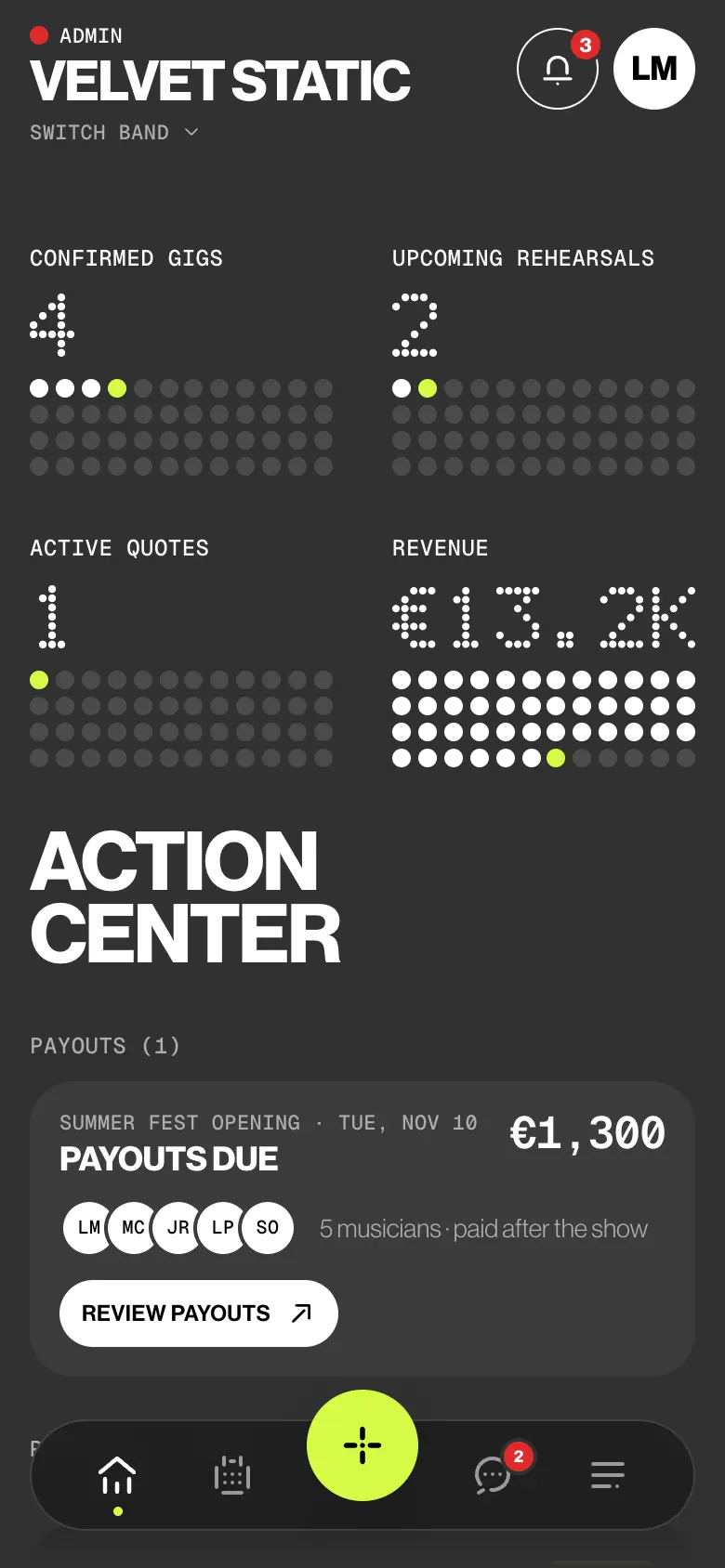
Set each musician’s fee on the gig. After the show, Home lists who the band still owes, and you tick them off as paid. Members see their own fee and whether it was paid. Nothing else.
- A fee per musician
- Payouts after the show
- Mark all as paid
- Only your own fee
 CH 03 · Fees & payouts
How it works
From the fee
to paid.
01
Set each fee
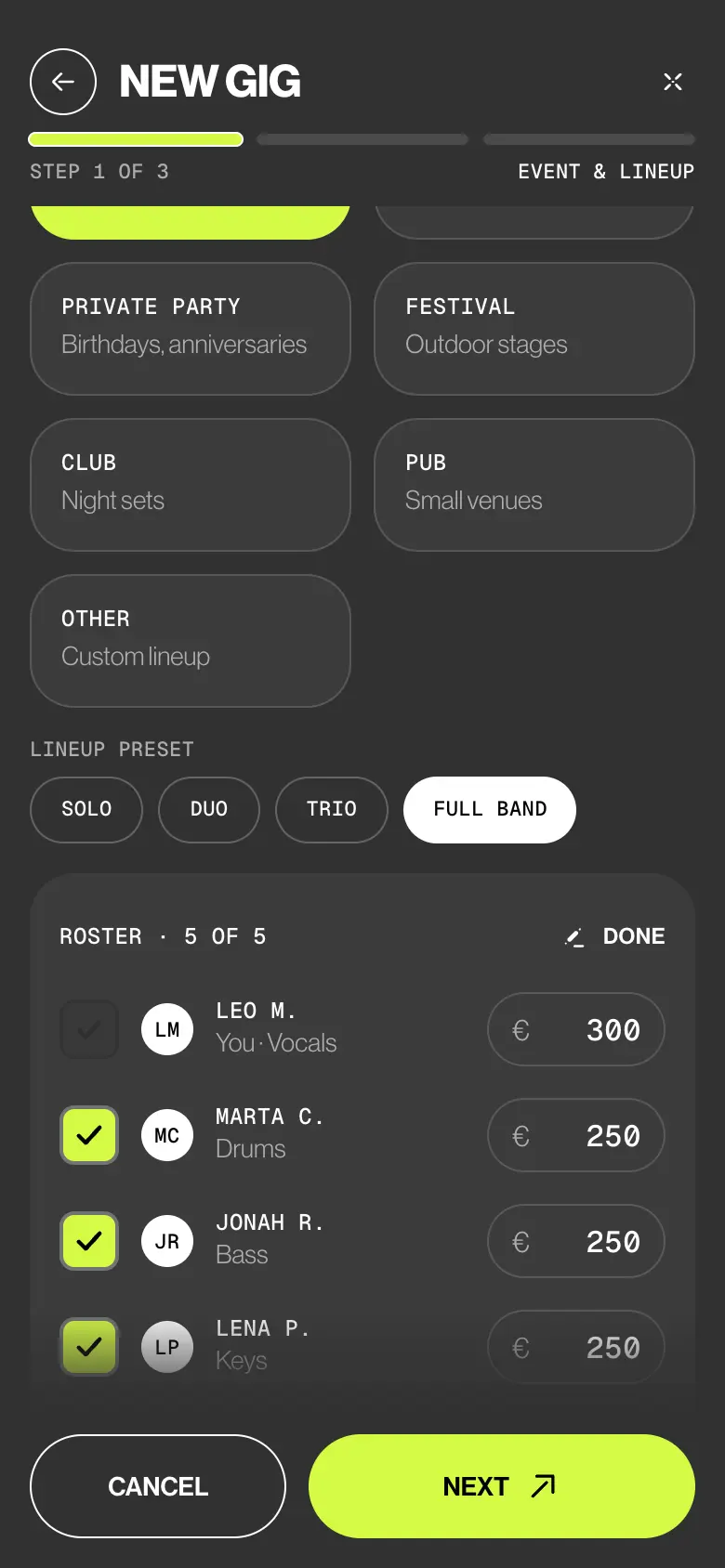
In the gig wizard every musician gets a fee, from their own default or the band’s rates. Type any amount, or tick Fee to be discussed (TBD): the date is confirmed now, the money later.
02
Pay after the show
Once the gig is over, Action center on Home shows the payouts due. Review payouts opens Fee & payouts: tap the switch next to each musician, or MARK ALL AS PAID.
03
Keep the ledger
REVENUE on Home adds up this year’s gig fees. Tap it for Money flow, the band ledger: record income and expenses, and see Net profit for the year.
04
See the year
View Analytics, at the bottom of Home, opens Data insights: total revenue, the change on the previous period, the months, revenue by event type and each member’s year.
Try it
Play the gig.
Pay the band.
Client A — Wedding is over. Tick off Leo, Sara, Nico, Tom and Ivo M., the deputy on keys, one by one or all at once. Then switch to Sara’s phone and see what she sees.
Show over · Sat 21 Nov 2026
Client A — Wedding
Villa Necchi · Milan
Who sees what
Admins see it all.
You see yours.
Members and deputies see their own fee and whether it was paid. Never the band fee, other people’s fees, the client or the band’s finances. The database enforces it, not only the app.
| What | Admin | Member | Deputy |
|---|---|---|---|
| Sets and changes fees | Yes | No | No |
| Sees a fee on the gig | Everyone’s | Their own | Fee offered |
| Sees the band fee, band fund and deposit | Yes | No | No |
| Sees payouts due after the show | Everyone owed | Their own | Their own |
| Marks musicians paid | Yes | No | No |
| Sees revenue and the band ledger | Yes | No | No |
| Opens Analytics | Yes | No | No |
The small things
The fine print
on money.
- Fee to be discussed
Confirm the date now and the money later. Invitations say the fee is to be discussed, and the gig shows To be discussed until you set it.
- A fee change reaches one person
Change a musician’s fee and only that musician is notified.
- The band fund
The band fee is the musicians’ fees plus any extra band fee. What isn’t paid out stays with the band.
- Your currency
EUR, USD, GBP or CHF, with your country’s VAT rate. Each quote keeps the currency it was made in.
- Member stats
Each musician’s year: gigs played and coming up, rehearsals, earnings and what’s not paid yet.
- Two kinds of revenue
REVENUE on Home adds up this year’s gig fees; Money flow adds up the income you record. Payouts are the band paying its musicians, not the client paying the band.
Learn it
The Guide,
step by step.
Six short articles in the BandWith Academy, in six languages.
- Fee and payouts on a gigThe band fee, each musician’s fee, and who’s paid.
- Payouts dueWho the band still owes, and marking them paid.
- Lineup and feesFees in the gig wizard, Fee TBD and the band fee.
- Money on HomeRevenue, your pay and the Money flow ledger.
- AnalyticsThe band’s year in numbers.
- What members seeTheir own fee and whether it was paid.