
CH 05 · Band chat
Talk next tothe plans.
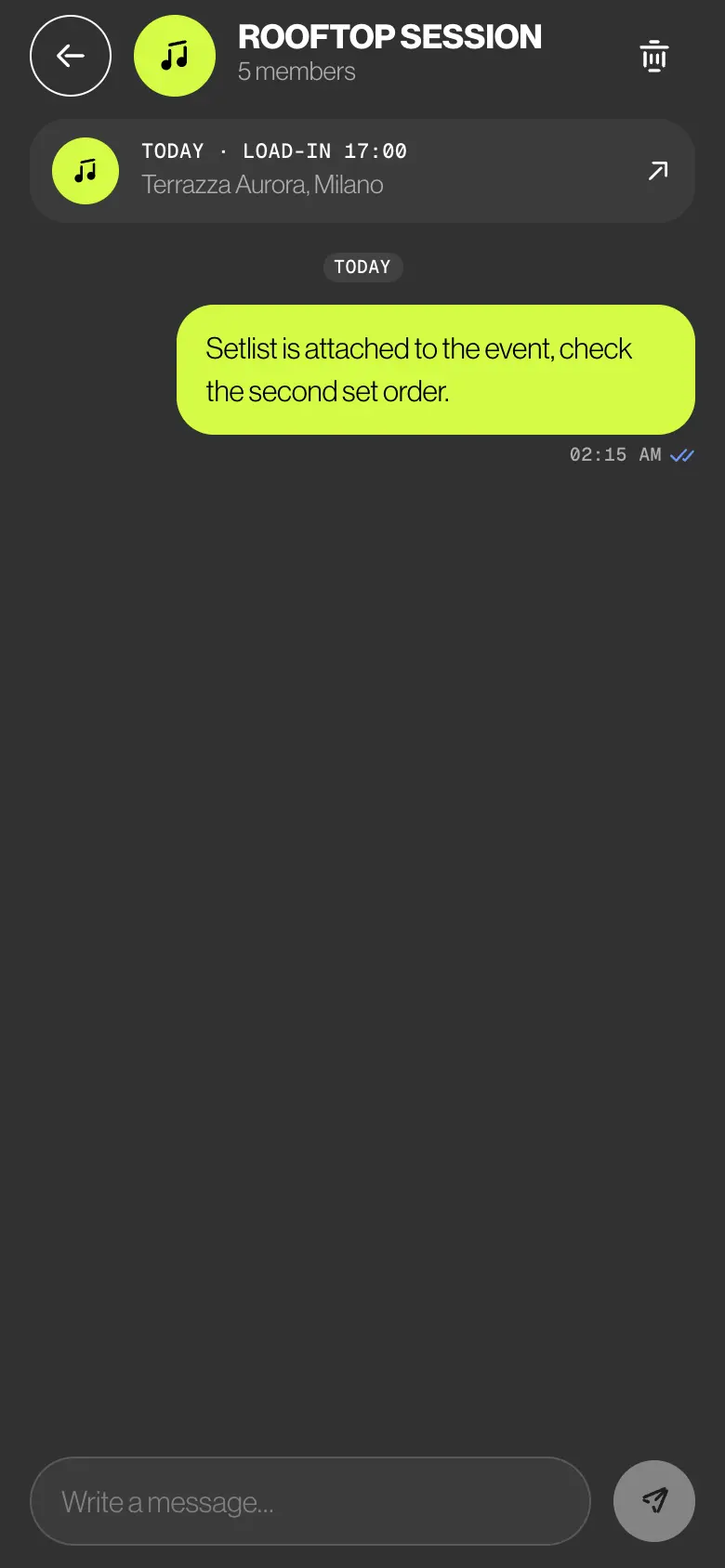
A band chat, a chat for each gig or rehearsal, and direct messages with the admins. Every event chat keeps the day, the load-in time and the place on top, one tap from the gig.
- Band chat
- Event chats
- Direct messages
- Read receipts
 CH 05 · Band chat
How it works
Four ways
to say it.
01
One inbox
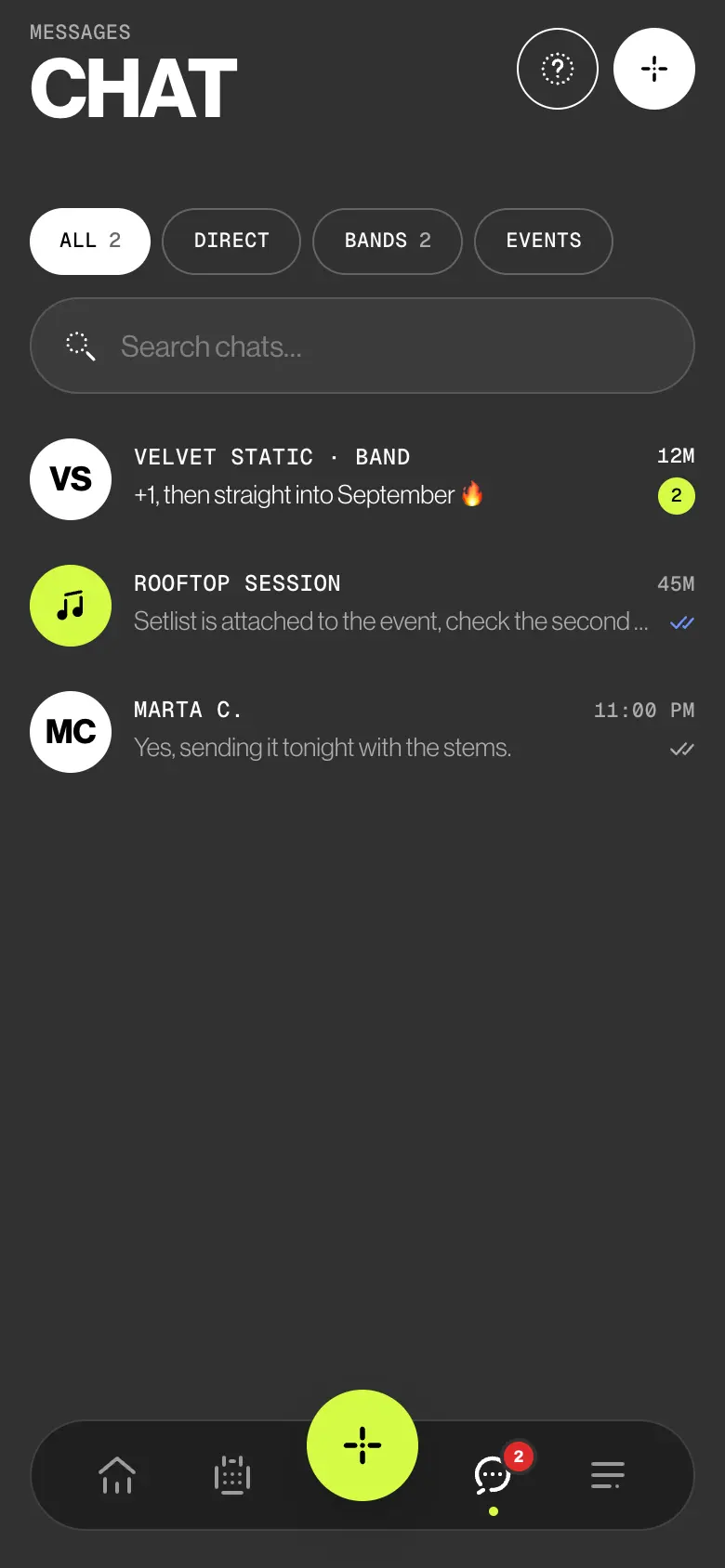
Tap Chat in the bottom bar. Band, event and direct chats share one list, unread first, with ALL, DIRECT, BANDS and EVENTS. Search finds chats, people and words in messages.
02
A chat for each gig
Open a gig or rehearsal and tap EVENT CHAT or REHEARSAL CHAT. The lineup and the admins are in it. The strip on top shows the day, the load-in or start time and the place: tap it to open the event.
03
Reply, mention, read
Swipe a message to the right to reply to it. Type @ and a name to mention someone. Two coloured ticks mean everyone in the chat has read it.
04
Straight to an admin
Tap + for a new chat: DIRECT, BAND or EVENT. Admins can message anyone in their bands, members message the admins. Two members talk in the band or event chat.
Try it
Say it once.
Where it belongs.
You’re Sara, in the chat of Saturday’s wedding at Villa Necchi. Send a message and watch the ticks, reply to Leo, mention Nico. Then try to message Nico directly.
Direct messaging is only available with band admins.
- Send a message and watch the ticks
- Reply to Leo’s message
- Type @ to mention Nico
- Open Direct and try to message Nico
Ticks on your last message
- SendingYour message is on its way.
- SentSaved on the server.
- DeliveredIt reached the other people’s phones.
- ReadThey opened the chat after your message.
In band and event chats the ticks change only when everyone has received or read the message.
In this chat
Who sees what
Everyone talks.
Admins reach all.
Members talk in the band chat, in the events they play and with the admins. Deputies aren’t band members: the band reaches them through deputy requests in the app.
| What | Admin | Member | Deputy |
|---|---|---|---|
| Writes in the band chat | Yes | Yes | No |
| Opens a gig or rehearsal chat | Any event of the band | After answering going | No |
| Sends direct messages | To anyone in their bands | To admins only | No |
| Replies to a message, mentions someone | Yes | Yes | No |
| Gets a push for each new message | Yes | Yes | No |
| Sees who is online | Yes | Yes | No |
The small things
Fewer threads.
Clear rules.
- A push for every message
Everyone else in the chat is told. No push for a chat you have open on screen, and opening a chat marks its notifications as read.
- One chat per band, one per event
If the chat already exists, BandWith opens it. People added to the lineup later join with the next message.
- Times, never the fee
The strip and the side pane show times, place and status. Never the fee or the client.
- A direct chat stays between two
BandWith never reuses it for someone else, so nobody else can read that history.
- Ticks that mean everyone
Clock, one tick, two grey, two coloured. In group chats they change only when everyone has received or read it.
- Nothing typed is lost
Without a connection a message isn’t sent: it goes back into the composer with a note, ready to send again when you’re online.
Learn it
The Guide,
step by step.
Six short articles in the BandWith Academy, in six languages.
- The chat inboxEvery chat in one list, with filters and search.
- Event chatsA chat per gig or rehearsal, times on top.
- Send, reply, mentionAnswer one message, call someone in.
- Who can message whomThe rules for admins, members and deputies.
- Ticks and online statusSending, sent, delivered, read.
- NotificationsWho is told, and when a push arrives.